

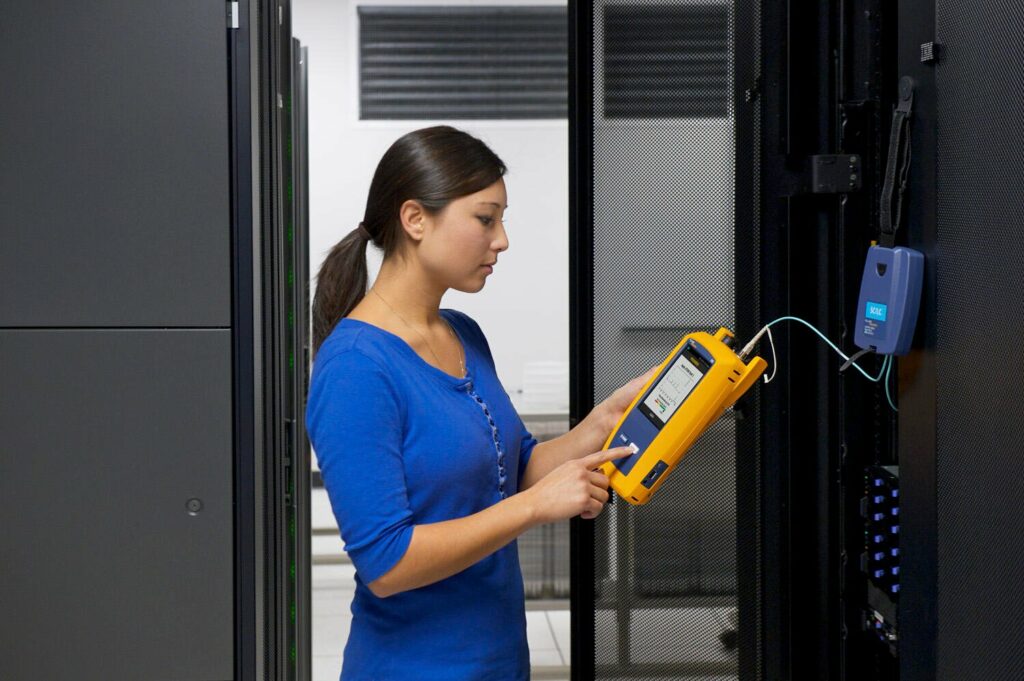
Fluke Networks copper and fiber certification tools
Use the correct DSX, CertiFiber Pro, OptiFiber Pro or verification tool with calibrated adapters, references and approved limits.
Portfolio and infrastructure context
Fluke Networks tools serve different acceptance tasks. DSX CableAnalyzer certifies copper cabling to selected standards and link models. CertiFiber Pro performs optical loss testing, while OptiFiber Pro provides OTDR analysis. Verification or troubleshooting tools do not automatically replace standards-based certification.
Before testing, the project defines media, standard, category or class, permanent-link or channel model, fiber type, wavelengths, reference method and pass/fail limit. Test adapters and reference cords must match that method. Calibration status and software or limit versions are recorded.
Native result files preserve more evidence than a flattened PDF. Closeout should include native LinkWare-compatible files, a human-readable summary, cable or fiber IDs and a failure disposition. Marginal passes and unusual length or loss results deserve review even when the instrument shows green.
Product families in the design
Use the platform roles below to build a complete bill of materials and avoid treating unlike components as substitutes.
DSX CableAnalyzer
Standards-based copper certification for approved category and link models.
CertiFiber Pro
OLTS power and loss measurement for multimode and single-mode links.
OptiFiber Pro
OTDR characterization, event analysis and troubleshooting.
LinkWare
Result organization, review and reporting tied to accurate cable IDs.
Infrastructure decisions before release
These decisions affect pathways, racks, power, media, testing and future service.
Test definition
Write the limit, media, link model, wavelengths and directions before work.
Reference procedure
Control adapters, cords, mandrels, cleaning and reference timing.
Calibration
Verify instrument and module calibration and firmware or limit currency.
File governance
Preserve native results, naming, retests and final summaries.
Acceptance and closeout evidence
Turnover should show that the installed infrastructure supports the approved design and can be maintained.
- Review test setup screens before production testing begins.
- Investigate failures, length anomalies and marginal results instead of deleting them.
- Retest repaired links and keep the final accepted native record.
- Reconcile every required cable ID with a result and drawing endpoint.
Official Fluke Networks resources
Confirm current models, compatibility, release notes and software at the official resources below. TekRoute links to manufacturer portals and does not mirror firmware files.
Detailed planning and product-family guides
Use these detailed Fluke Networks infrastructure guides to examine specific equipment and implementation decisions.
Fluke DSX CableAnalyzer Copper Certification
Plan copper certification with the correct DSX model, adapters, test limit, reference, naming and native results.
Read the detailed guideFluke CertiFiber Pro and OptiFiber Pro Testing
Choose OLTS, OTDR and inspection tools for fiber acceptance, diagnostics and reproducible LinkWare closeout.
Read the detailed guideTurn the Fluke Networks design into field-ready infrastructure
Share the drawings, quantities, standards and test requirements. We can identify surveys, pathways, materials, staging and closeout work.
Start an infrastructure conversation